

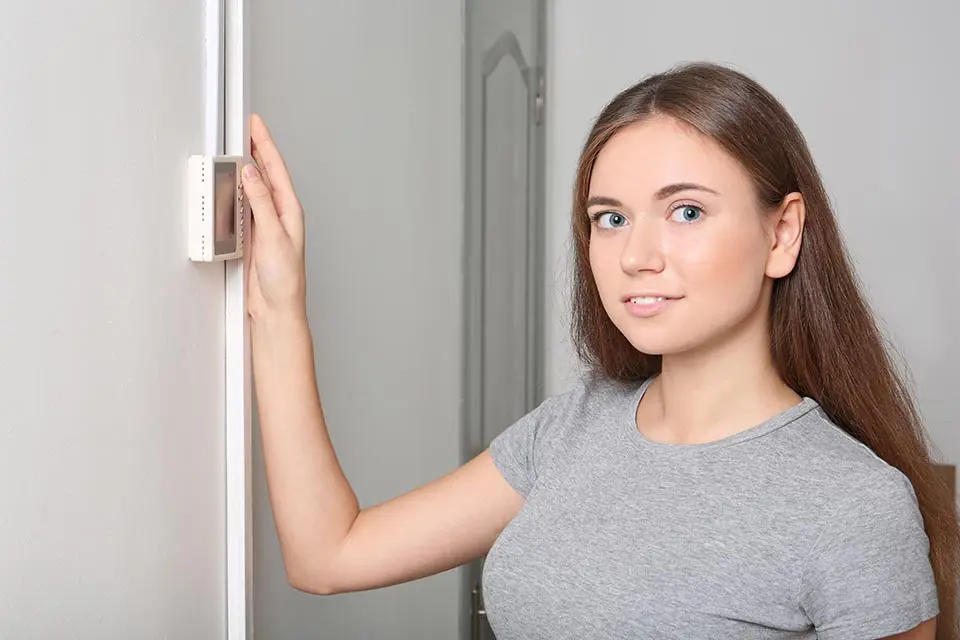
Are you tired of coming home to a house that’s too hot or too cold? Do you keep finding that your thermostat has forgotten all your carefully programmed settings? You’re not alone! Many homeowners get frustrated when their thermostat keeps resetting programming settings out of nowhere.
This common problem can make your energy bills go up and leave your family uncomfortable. The good news? Most thermostat issues can be fixed without spending a lot of money.
Let’s look at why this happens and how you can fix it!
Table of Contents
Common Causes of Thermostat Resets
When your thermostat keeps resetting programming settings, there are several usual suspects. Let’s go through them one by one.
The most common causes are:
- Power outages or surges
- Weak or dead batteries
- Loose or damaged wiring
- Software bugs
- Poor thermostat location
- Incompatible equipment
Many of these problems have simple fixes you can handle yourself. Let’s dive into each cause.
Power Supply Problems
Does the power in your neighborhood go out a lot? Even short power outages can make your thermostat forget its settings.
Newer thermostats handle brief power blips better than older models. But frequent power problems can still cause issues.
How to Fix Power-Related Resets
Try these solutions if power issues are the reason your thermostat keeps resetting programming settings:
- Add a surge protector to your HVAC system
- Get a thermostat with better backup features
- Try a smart thermostat that saves settings online
- Consider a backup generator if outages happen often
Dead or Dying Batteries
Many thermostats use batteries. Some run on batteries alone, while others use them for backup power.
When these batteries get weak, your thermostat might reset without warning. This is one of the most common reasons why a thermostat keeps resetting programming settings.
Battery Replacement Tips
Here’s how to prevent battery-related problems:
- Replace batteries every 6-12 months, before they die
- Use good quality batteries, not the cheapest ones
- Set a reminder on your phone for battery changes
- Try lithium batteries if your thermostat allows them
Pro tip: Take a photo of your settings before changing batteries. You’ll probably need to reprogram everything after putting in new batteries.
Wiring Issues
Loose or damaged wires can cause your thermostat to lose power briefly. When this happens, your settings might disappear.
Wiring problems can develop over time. Temperature changes, house settling, or even mice chewing on wires can create issues.
How to Check for Wiring Problems
If your thermostat keeps resetting programming settings, check these wiring issues:
- Make sure the thermostat sits firmly on its wall plate
- Look for loose wires at the terminal connections
- Check for green crusty stuff (corrosion) on the wires
- Look for damaged wire insulation
- Verify that you have the right size of wires for your thermostat
Safety first! Always turn off the power at the breaker before touching any wires. If you’re not comfortable with electrical work, call a pro.
Software Glitches
Newer thermostats are basically tiny computers. Like all computers, they can have software problems.
A thermostat keeps resetting programming settings often after power outages or during updates. Sometimes, the internal software just gets confused.
Fixing Software Problems
Try these steps to fix software glitches:
- Turn your thermostat off completely, wait 30 seconds, then turn it back on
- Check if a software update is available for your model
- Reset to factory settings, then program it again
- For smart thermostats, make sure your WiFi is stable
- Check the manufacturer’s website for known problems with your model
Bad Thermostat Location
Believe it or not, where your thermostat is mounted can cause problems! A poorly placed thermostat might get too hot or cold, which can mess with its programming.
Location Factors That Cause Problems
Your thermostat keeps resetting programming settings if it’s:
- In direct sunlight
- Near a heater or lamp
- By a door, window, or air vent
- In a spot that’s much hotter or colder than the rest of your home
Finding a Better Spot
The ideal location for a thermostat is:
- On an interior wall
- Away from direct sun
- At least 5 feet above the floor
- In a room you use often
- Away from drafts and heat sources
Compatibility Problems
Sometimes your thermostat and HVAC system just don’t work well together. It’s like trying to use a DVD in a VHS player – they’re not compatible.
This often happens after replacing part of your system or getting a new thermostat.
Checking Compatibility
Make sure:
- Your thermostat works with your type of HVAC system
- You have a C-wire if your thermostat needs one
- The voltage requirements match between devices
- Your WiFi can support smart thermostats
- You’ve chosen a thermostat the manufacturer recommends for your system
When to Call the Pros
While you can fix many thermostat problems yourself, some issues need expert help. If your thermostat keeps resetting programming settings after trying these fixes, it’s time to call Noland Heat and Air.
Warning Signs That Need Professional Help
Call a pro if you notice:
- Burning smells near the thermostat
- Damaged or melted wires
- Your HVAC system turns on and off rapidly
- Some rooms are much hotter or colder than others
- Your heating or cooling stops working completely
Professional HVAC technicians have special tools to find electrical problems you might miss. They can also recommend the best thermostat for your specific system.
Preventing Future Resets
It’s better to prevent problems than to fix them later. Take these steps to keep your thermostat working right.
Preventive Measures
Try these strategies:
- Schedule yearly HVAC maintenance
- Install a whole-home surge protector
- Use a smart thermostat with cloud backup
- Keep spare batteries handy
- Write down your preferred settings
- Consider upgrading to a newer, more reliable thermostat
Smart thermostats are especially good at preventing lost settings. Most will automatically restore your programming after power outages by getting your settings from the cloud.
FAQs About Thermostat Resets
How often should I change thermostat batteries?
Most manufacturers say once a year is enough. If you have reset problems, change them every six months. Always use good quality batteries.
Can lightning damage my thermostat?
Yes! Power surges from lightning can fry your thermostat’s circuit board. A surge protector for your HVAC system can prevent this damage.
Why does my thermostat reset after power outages?
Some thermostats don’t have good backup power or memory. Smart thermostats or models with better battery backup usually handle outages better.
Will I lose my settings when changing batteries?
Usually, yes. Many thermostats will forget their programming when batteries are removed. Take a photo of your settings before changing batteries.
Can hot or cold spots cause thermostat problems?
Definitely! Thermostats in direct sunlight or near heat sources can get confused about the actual room temperature, causing them to malfunction.
How do I know if my thermostat is bad?
Signs of a failing thermostat include: incorrect temperature readings, blank or flickering display, heating or cooling system won’t turn on/off, and frequent programming resets.
Fixing a Thermostat That Keeps Resetting: Final Thoughts
Dealing with a thermostat that keeps resetting programming settings is super annoying. But now you know the most likely causes and how to fix them!
Most thermostat problems have simple solutions, like changing batteries, checking wires, or moving the thermostat to a better location. These fixes can save you money and keep your family comfortable.
If you’ve tried everything in this guide and still have problems, give Noland Heat and Air a call. Our friendly technicians can quickly diagnose your thermostat issues and recommend the best solution. Contact us today to schedule an appointment and say goodbye to those frustrating thermostat resets!